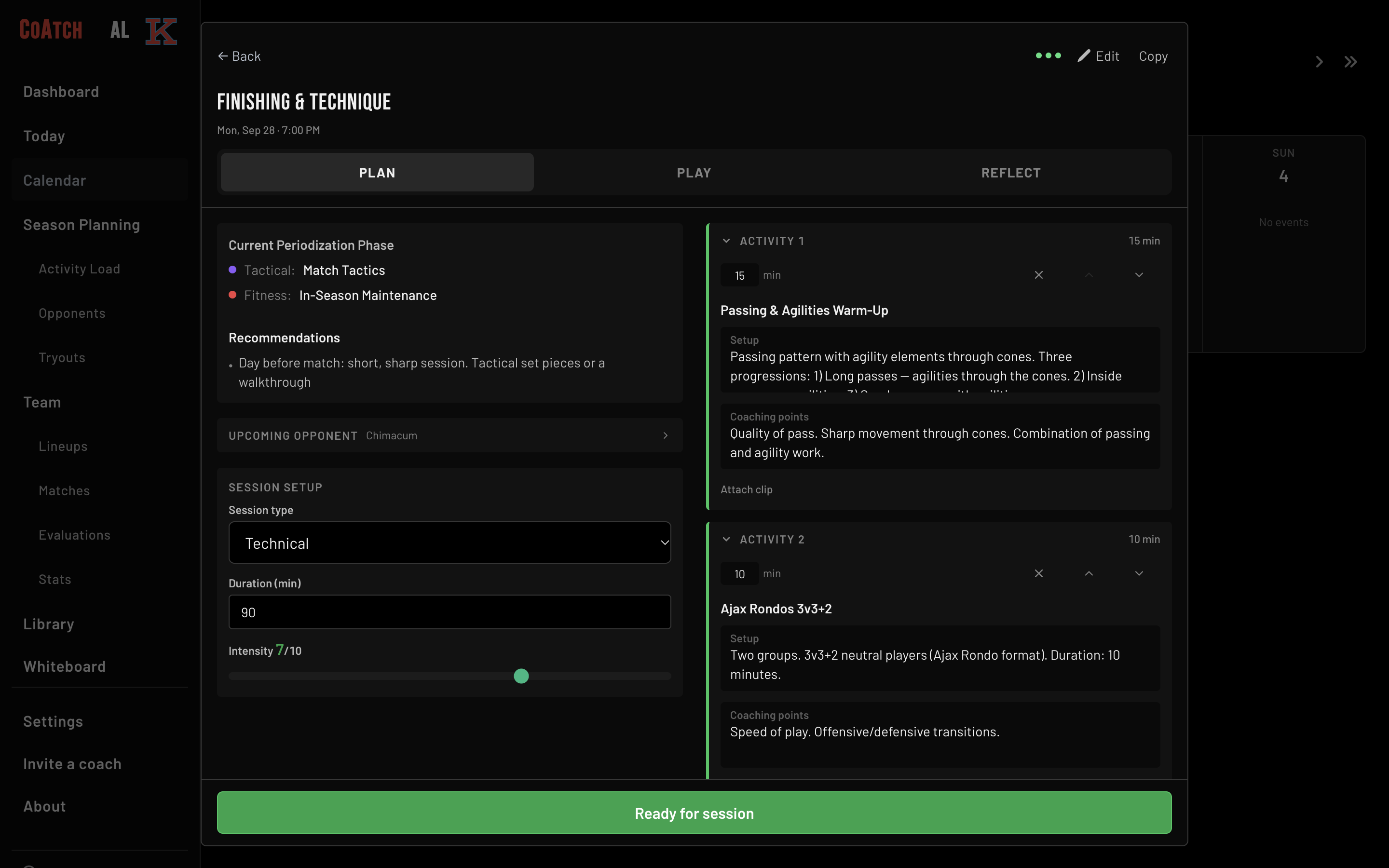
Your whole season on one calendar
Season Calendar: your entire season in one view
- Month and week view toggle (persisted preference)
- Intensity heat-map coloring on every session
- Session type color coding: technical, tactical, physical, fitness, recovery
- Loop Dots on every card: see at a glance if it's scheduled, planned, played, or reflected
- Day view with swipe navigation and training phase suggestions based on your next opponent
- Import schedules from TeamSnap, Google Calendar, or any .ics file
Peaking at the right time, by design
Periodization & Load Management: map the season, track the workload
- 4-row gantt-style timeline: Training Phase, Technical Focus, Tactical Focus, Physical Focus
- Drag to resize blocks, click to create, overlap validation
- Zoom 1-6 months, scroll through time
- 6-step season setup wizard
- Weekly workload chart: last 6 months with 8-level color scale
- Match-day context labels (MD, MD+1, MD-1)
- Per-player weekly load grid for individual monitoring
Every session built for the week you're in
Practice Builder: sessions that adapt to your next opponent
- Step-by-step session wizard: date, time, duration, focus, intensity, 5 activity slots
- Built-in activity library across 8 categories (Warmup, Technical, Tactical, Physical, Fitness, Recovery, Game Form, Set Pieces)
- Create and save your own activities and session templates
- PhaseContext: opponent scouting data feeds directly into training recommendations
- Sideline mode: broadcast-style session display for pitchside use with timestamped notes
- Post-session reflection: RPE, went well / needs work, per-activity ratings, player attendance
Your lineup carries over from game to game
Lineup Creator: drag-and-drop formations for every format
- Formation library across 11v11, 9v9, 7v7, and 5v5
- Drag-and-drop on desktop, tap-to-assign on mobile
- Auto-fill by player roles
- Freeform positioning: drop players anywhere on the pitch
- Tactical line overlays: defensive line, pressing line
- Save and load lineup templates
- PNG team sheet export: shareable via Web Share API
- Undo/redo with 20-step history
Every opponent scouted before kickoff
Opponent Scouting: know who you're playing before you step on the pitch
- Head-to-head records for every opponent: W/D/L, goals for/against, last played
- Up to 15 tactical trait tags per opponent (High Press, Possession, Counter-Attack, etc.)
- 6 scouting sections: Attacking, Defending, both Transitions, Set Pieces, Strengths
- Per-player notes and key player tracking
- Formation field view
- Scouting data feeds into PhaseContext: your practice plan adapts automatically
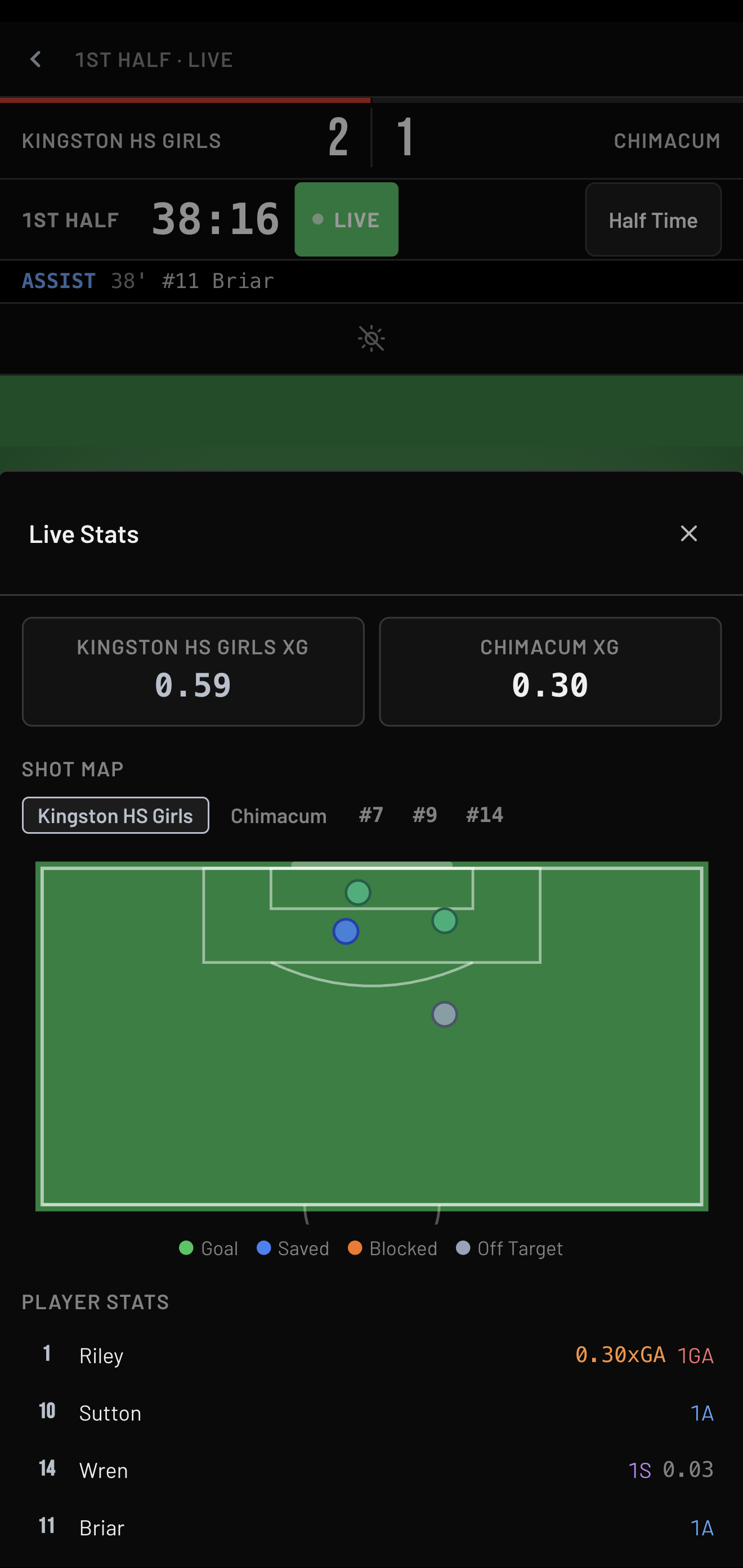
Who played and what happened, logged live
Game Day: live match tracking with xG
- Full-screen overlay with SVG field and players positioned per lineup
- Configurable game clock: half/full-time, flow controls through all match phases
- Per-player event logging: Goals (body part, assist type, shot location), Assists, Cards, Subs, Saves
- Opponent event logging for GK stats: goals against, shots faced
- xG calculated automatically (Caley v1 model: distance decay, penalty, dribble/cross/open-play coefficients)
- In-game tactical notes with quick-tags
- Player stats auto-generated the moment the game ends
- Bench panel with position group color coding
- Undo/redo for lineup changes during the match
Tactics your players can see, not just hear
Tactical Whiteboard: draw it up, animate it, export it
- Full SVG tactical board: full field, half field, and grid layouts
- Players, opponents, cones, ball, goals, arrows (solid/dashed/wavy), lines, zones, labels
- Multi-frame animation with playback and position interpolation
- PNG image export at 2x scale
- Animated video export (WebM): zero dependencies
- Save diagrams to your library as Clips
Notes from before and after every game, in one place
Match Management: pre-match through post-match, covered
- Match list with upcoming/past sections, W/D/L badges, Loop Dots
- Pre-match tab: tactical intent tags, notes, lineup status, "Apply Template" picker
- Game Day tab: live score entry, timestamped in-game notes with tactical tags
- Post-match tab: final score, W/D/L auto-derivation, RPE slider, reflection
- Opponent linking across matches
How every player performed, three games ago or thirty
Player Evaluations: 23 fields, 4 domains, real development tracking
- Technical (7): Passing, Dribbling, Ball Manipulation, Striking, Receiving, Tackling, Creativity
- Tactical (7): Attacking decisions, pass/dribble, positioning, defending, press-hold-drop, transitions
- Psychological (5): Competitiveness, Focus, Resilience, Communication, Self Development
- Physical (4): Agility, Quickness, Fitness, Strength
- Multiple dated evaluations per player: track growth over time
- PDF export with styled formatting
- Tryouts: rate every prospect, then place them on any of your teams in one pass
Match reports done before you leave the field
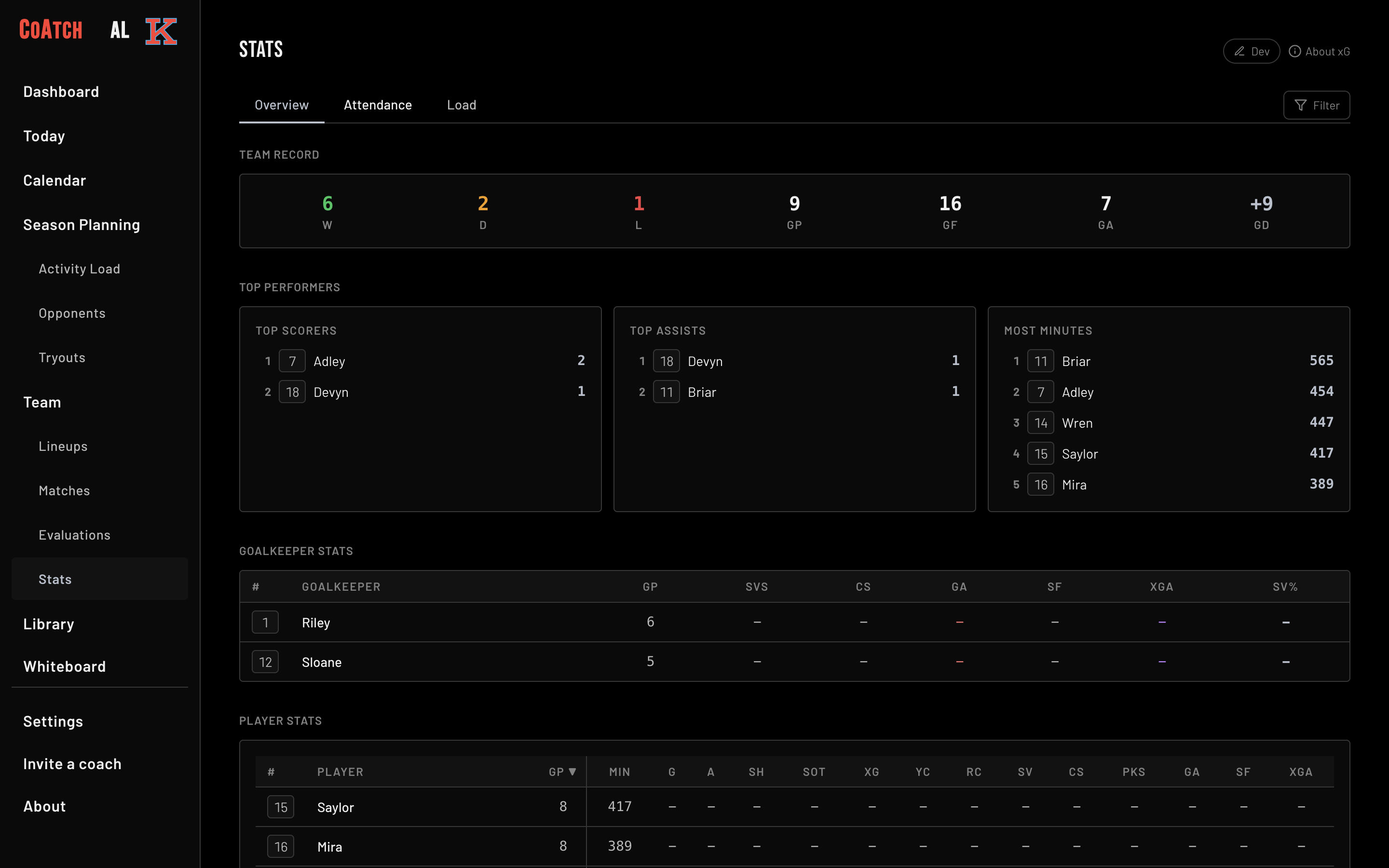
Stats & Match Reports: auto-generated from the data you already captured
- Team record: W/D/L, goals for, goals against, clean sheets
- Sortable stats table: GP, MIN, Goals, Assists, Shots, xG, Cards, Saves
- GK-specific columns: Goals Against, Shots Faced, Clean Sheets, xG Against
- Per-player load grid: 4-week individual workload view
- Canvas-rendered match reports (PNG): header, stats, events timeline, notes, reflection
- Shareable via Web Share API or file download
Jersey numbers and contact info, always on hand
Team & Roster: every player, every detail
- Team identity: name, game format, primary/secondary colors (14 presets + custom hex), logo upload
- Roster grouped by position (GK/DEF/MID/ATT), sortable by jersey, name, or position
- Player cards with jersey number, position tags (17 positions), role tag, aggregate stats
- Player attendance tracking across practices
- Multi-team support: up to 3 teams per account
What you already wrote, imported instead of retyped
Tap In: AI import. Paste or photograph anything, skip the data entry
- 6 import types (auto-detected): Roster, Schedule, Practice Plan, Game Plan, Lineup, Opponents
- Paste text or upload a photo: handwritten notes, printed docs, screenshots
- AI-powered parsing with preview and edit before committing
- Learns from your corrections to player name matches over time
- Context-aware: pre-configures import type based on where you open it
- ICS calendar import for .ics files from any platform
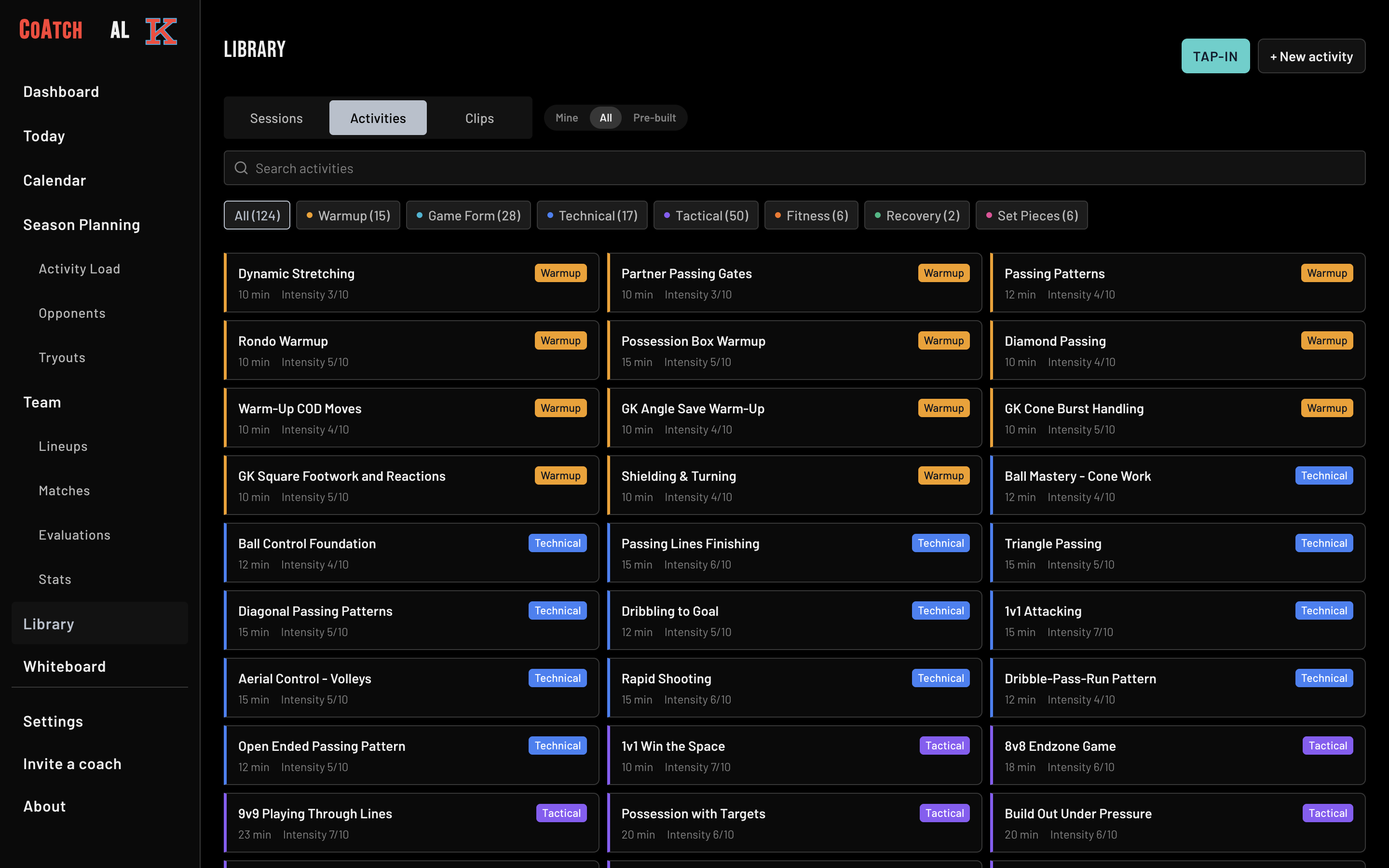
Every session starts from your library, not a blank page
Library: templates, activities, and saved diagrams
- Built-in and user-created session templates: filter by type, view detail, apply to any practice
- Activity library across 8 categories with full coaching descriptions
- Create your own activities with name, category, duration, intensity, and optional diagram
- Saved Clips from the Whiteboard: your tactical diagram library
The same plan on your laptop, tablet, and phone
Works Everywhere: any device, online or off
- Available on the App Store and Google Play, and installs from your browser
- Works offline via Firestore persistence + PWA service worker
- Dark, light, and system themes with team color injection
- Syncs automatically when you're back online
- Full backup and restore: JSON export with version migration support
Roadmap
Diagrams for Library Exercises
Visual diagrams for every built-in activity in the library.